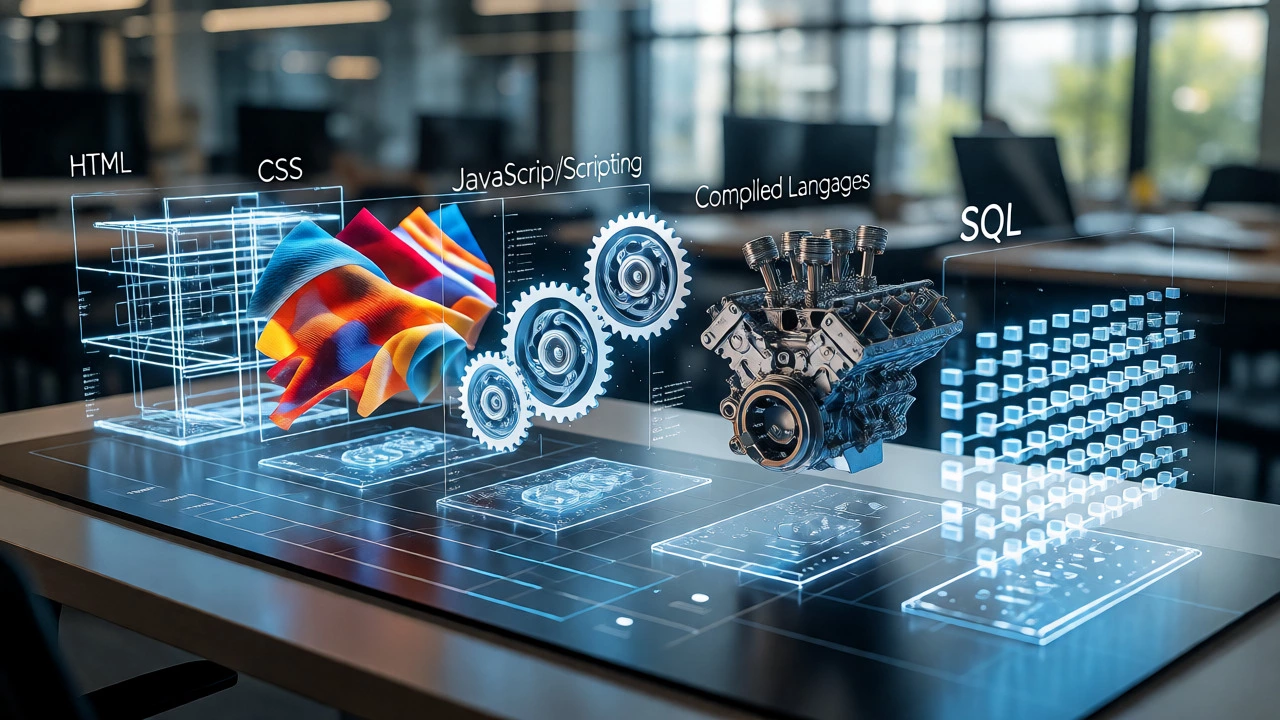
The 5 Types of Code Explorer
Click on a category below to learn its purpose, key examples, and best use cases.
Markup
HTML/XMLStyle
CSSScripting
JS/PythonCompiled
C++/JavaDatabase
SQLSelect a Category
Click one of the icons above to reveal details about that type of code.
You’ve probably heard people talk about "learning to code" or "writing scripts," but have you ever stopped to wonder what they actually mean by codes? It’s not just one single thing. When developers say they know five types of code, they aren’t talking about five different secret handshakes. They are referring to distinct categories of programming languages that serve completely different purposes in the tech world.
If you’re looking at coding classes, you might feel overwhelmed by terms like Python, C++, HTML, or SQL. Are they all the same? Can you learn them all at once? The short answer is no. Each type of code has a specific job, a unique way of thinking, and a specific place in the software ecosystem. Understanding these five main types will help you pick the right class, choose your first language, and actually understand what you’re building.
The Core Concept: What Is Code?
Before we split things up, let’s get clear on what code actually is. At its simplest level, code is a set of instructions given to a computer to perform a task. Computers only understand binary-ones and zeros. But humans can’t efficiently write billions of ones and zeros. So, we use programming languages as an intermediary. These languages translate human logic into machine-executable commands.
However, not all programming languages do the same work. Some tell a website how to look (visuals), some tell it how to behave (logic), and some handle where the data lives (storage). This distinction creates the five major types of code most beginners encounter in introductory courses.
Type 1: Markup Languages (The Skeleton)
Think of markup languages as the skeleton of a digital page. They don’t make things move or calculate numbers; they structure content so browsers know what is a heading, what is a paragraph, and what is an image. The most famous example here is HTML (HyperText Markup Language).
HTML isn’t technically a programming language because it doesn’t have logic loops or variables. You can’t use it to calculate a tax rate or sort a list of names. Instead, you use tags like <h1> for big titles or <p> for paragraphs. If you take a coding class focused on web design, this is almost always the first thing you learn. Without HTML, there is no webpage to display.
- Purpose: Structure and semantics of content.
- Key Examples: HTML, XML, Markdown.
- Best For: Beginners who want to see immediate visual results.
Type 2: Style Sheets (The Skin)
If HTML is the skeleton, style sheets are the skin and clothes. They control how the structured content looks. Colors, fonts, spacing, and layout positions are handled here. The dominant player in this space is CSS (Cascading Style Sheets).
Like HTML, CSS is declarative. You tell the browser, "Make this button blue and round," rather than writing a complex algorithm to draw pixels. In modern web development, you rarely use HTML without CSS. They are best friends. A common mistake beginners make is trying to learn them separately. In reality, most coding classes bundle them together because you need both to create anything user-facing.
| Feature | HTML (Markup) | CSS (Style) |
|---|---|---|
| Primary Function | Defines content structure | Controls visual presentation |
| Logic Capability | None | Limited (animations, media queries) |
| Dependency | Stands alone | Requires HTML to apply styles |

Type 3: Scripting Languages (The Muscles)
This is where things start moving. Scripting languages add interactivity and behavior to static pages. They allow a website to react to user actions, like clicking a button, hovering over an image, or submitting a form without reloading the page. The king of client-side scripting is JavaScript.
JavaScript runs directly in the user’s browser. It’s lightweight and fast for simple tasks. However, the term "scripting" also applies to server-side languages like Python. While JavaScript handles the front-end visuals, Python often handles the back-end logic, such as processing payments or analyzing data. Scripting languages are interpreted, meaning they run line-by-line, which makes them easier to debug and test quickly compared to compiled languages.
- Purpose: Interactivity, automation, and rapid development.
- Key Examples: JavaScript, Python, Ruby, PHP.
- Best For: Web apps, automation scripts, and data analysis.
Type 4: Compiled Languages (The Engine)
When you need raw speed and efficiency, especially for large applications or operating systems, you turn to compiled languages. Unlike scripts, these languages must be translated entirely into machine code before they can run. This process takes time upfront but results in faster execution later. The classic examples are C, C++, and Java.
These languages are stricter. You have to define exactly what type of data each variable holds (e.g., integer, string, boolean). This strictness catches errors early but requires more typing. If you’re interested in game development, high-frequency trading, or Android app creation, you’ll likely spend your time here. Java, for instance, powers millions of Android devices, while C++ is the backbone of many AAA video games.
Type 5: Database Query Languages (The Memory)
Applications need to remember things. User profiles, product inventories, chat histories-all this data needs storage. That’s where database query languages come in. They don’t build interfaces or calculate physics; they retrieve and manipulate stored information. The standard here is SQL (Structured Query Language).
SQL allows you to ask questions to a database. "Give me all users who signed up last week." "Update the price of item X to $10." It’s English-like and logical. Even if you become a front-end developer using JavaScript, you will likely need basic SQL skills to fetch data from a server. NoSQL databases exist too (like MongoDB), but SQL remains the universal language of data.

How to Choose Your First Coding Class
Now that you know the five types, how do you pick a course? It depends on your goal.
- Want to build websites? Start with HTML/CSS, then move to JavaScript.
- Interested in data science or AI? Go straight to Python.
- Aiming for mobile apps? Learn Swift (iOS) or Kotlin (Android), which are modern compiled languages.
- Curious about how computers work? Try C or Java to understand memory management and object-oriented programming.
Don’t try to master all five at once. Pick one path. Learning HTML is easy; learning C++ is hard. Mixing them up early leads to confusion. Stick to one type until you feel comfortable creating small projects.
Common Misconceptions About Code Types
One big myth is that some languages are "better" than others. They aren’t. They are tools. Using a hammer to cut bread is bad, not because hammers are bad, but because they’re the wrong tool. Similarly, using C++ to build a simple blog is overkill. Using HTML to build a banking system is impossible.
Another misconception is that you need to be a math genius to code. Most coding involves logic and pattern recognition, not calculus. Unless you’re doing machine learning or graphics rendering, basic arithmetic is usually enough.
Frequently Asked Questions
Is HTML considered a programming language?
Technically, no. HTML is a markup language. It structures content but lacks logical features like loops, conditions, or variables. However, in casual conversation and many entry-level jobs, it is grouped under "coding skills."
Which type of code is easiest for beginners?
Python is widely regarded as the easiest due to its readable syntax. HTML and CSS are also very accessible because you can see results instantly in a browser. Avoid starting with C++ or Assembly unless you specifically want to understand low-level computing.
Do I need to learn all 5 types of code?
No. Most developers specialize. A front-end developer focuses on HTML, CSS, and JavaScript. A data analyst focuses on SQL and Python. A systems engineer focuses on C or Rust. Focus on the stack relevant to your career goals.
What is the difference between scripting and compiled languages?
Scripting languages (like Python, JS) are interpreted line-by-line at runtime, making them slower but easier to write and debug. Compiled languages (like C++, Java) are translated entirely into machine code before running, making them faster but requiring a compilation step.
Can I switch from one type of code to another easily?
Yes. Once you understand core concepts like variables, loops, and functions in one language, switching to another is mostly about learning new syntax. The logic remains similar across most imperative programming languages.